

The AuDS was recently discontinued in September 2021. This article looks at the options available to government agencies looking to commence a new web project.
How we design

Research first
Interviews, analytics, and usability testing show us how your users behave.
Structure before style
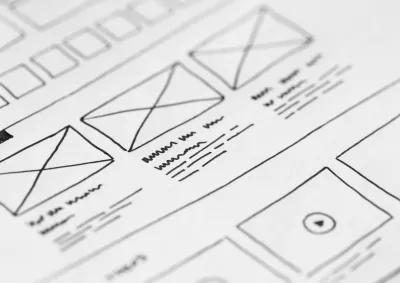
Information architecture and wireframes set the content priorities before visual design begins.

Accessible by default
Colour palettes, typography, and components are tested against WCAG 2.2 AA from the first concept.
Designed for editors
Components your team can reuse to build new pages without a developer.
Frequently asked questions
User experience (UX) refers to any interaction you (the user) have with a product or service. UX design considers every element that shapes this interaction, how it makes you feel, and how easy it is for you to accomplish your desired tasks. The goal of UX design is to create not only highly usable interactions with a brand but also relevant, useful and pleasant experiences all round.
That’s a loaded question. To point to good examples of a finished product is to make a value judgement based on visual design. When briefing UX designers, business owners often point to famous brands and ask to emulate their designs. These other brands don’t necessarily share the same target market or user base. So how can they be sure that strategy would work for their business?
At Morpht, we follow a human-centred design approach that also takes into account business vision and priorities to find that middle ground between what the user wants and what the business needs to succeed.
Yes. We regularly work within agency brand guidelines and government design systems, and extend them where your site needs new components.
UX (user experience) and UI (user interface) are two interdependent terms. UI generally deals with using commonly recognised patterns to support the interaction between users and computer systems, software and applications. It’s the navigation on a site, the submit button on a form. It’s the refresh button to reload your browser, etc. UX deals generally with a user's overall experience with a brand, product or service by working out a user's primary tasks and prioritising those above all else. It’s about simplifying the interaction, helping users through a journey and getting them to a desired destination.
While some think that UX design is a dying profession, there’s only evidence in the job market pointing in the opposite direction with record job listings. If UX design is dying, what’s it being replaced by? A UX Design role bridges and connects various functions in an organisation. A UX designer, unpacks business strategy, dives into user data, understands user needs and motivations, facilitates the ideation of solutions and then maps out the most efficient, engaging and useful experience for a user. They’re the glue and the compass for a multi-functional team.
Latest insights

Article
VantaJS is a sweet little Javascript library which displays dynamic, interactive animated backgrounds. It is a natural fit for an implementation as a Modifier in Drupal.
Article
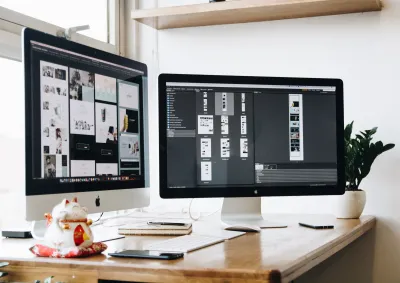
Design trends come and go. We can’t help but adopt some of these trends by building solutions on our Drupal starter site Convivial to be ready for your next big site redesign.

Article
An analysis of government sites in Australia around the areas of accessibility, SEO, performance, best practices and security.
Article
A demonstration of how to create editor friendly tools for creating content listings on landing pages in Drupal.
Article
The newly released GovCMS8 distribution ships with a brand-new base theme, designed to deliver a great-looking, functional site - straight out of the box, with no theming or coding required. Suitable for government agencies, platform evaluators as well as site builders and themers.
Article
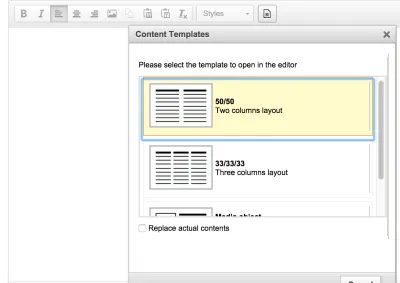
Creating responsive websites is easy these days with frameworks like Zurb’s Foundation and Bootstrap. The WYSIWYG API template plugin module allows us to predefine templates in WYSIWYG, helping editors to layout content for a mobile friendly website.
Article
At Morpht we care about the user experience and adopt a proven UX design process. it all starts from a discovery process in which we chat with clients about their vision and expectations.