
At Morpht we care about the user experience and adopt a proven UX design process. it all starts from a discovery process in which we chat with clients about their vision and expectations.
Test the structure while it's still cheap to change
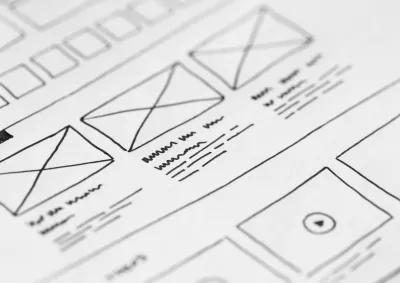
Wireframes catch structural problems early: a page trying to do too much, or a form flow that doesn't match how people think. We treat them as low-cost experiments to test on end users, to check we've met their needs.
They also show what matters most on each page, and where each component and function goes.
What you get:
- Problems found early. Structural fixes cost little at this stage.
- A shared blueprint. Stakeholders, designers, and developers work from the same page layouts.
- A quicker path to design. Convivial's Figma component library lets us build medium-fidelity wireframes fast.
Our approach to wireframing

Start from discovery and information architecture
We wireframe once discovery and information architecture have shown which pages and templates you need and what each contains. Wireframing earlier tends to get redone once real content needs emerge.

Map the key pages
Each wireframe shows the priority of information, the components on the page, and the functionality, along with the user flows between pages.

Build with a ready-made library
Convivial has a component library in Figma, so we can build out medium-fidelity wireframes quickly.

Test with real users
We test the wireframes with end users to validate what we learned in discovery before any visual design starts.

Check accessibility before the build
Heading hierarchy, form field grouping, and navigation patterns are decided at this stage, and they're far cheaper to get right now than to fix after launch.

Move into visual design
We develop the wireframes into visual designs using your brand and style guides, and can take those designs into further rounds of testing. See our user experience design service.
Frequently asked questions
Wireframes aren't mainly about visual style, which the design system covers. They validate content structure, page layout, and user flow before you invest in full visual design. That catches structural problems while they're still cheap to fix.
After discovery and information architecture have identified the pages and templates you need and what each contains, and before full visual design and development. Wireframing before the structure is settled tends to be redone.
Yes. Reviewing designs and wireframes for accessibility before the build, not only testing after launch, is standard practice for an accessibility-first team. Structural decisions such as heading hierarchy, form grouping, and navigation are much cheaper to get right early.
A wireframe shows structure: what goes where, in what order, and how people move between pages. A visual design applies your brand: colour, type, imagery, and style.
Case studies

Case study
Morpht built the Australian Hydrographic Office's new GovCMS website on a condensed schedule, making charts, Notices to Mariners and tide tables easier to find.

Case study
Morpht moved Reef Guardian Schools to GovCMS SaaS with 382 schools and 800+ users, no re-registration, and a secure resource library just for teachers.

Case study
Morpht created a new brand and award-winning website for the Medical Device Single Audit Program, with a document library searchable without document codes.

Case study
Morpht redesigned the National Office for Child Safety website in under three weeks for a national campaign. Page views then rose 745% in three weeks.
Latest insights