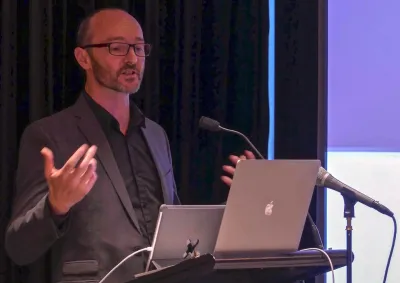

We can drastically improve the editor experience by treating the editor as a first class user of a Drupal site. This presentation will give practical tips on a GovCMS8 site to make the editor experience more accessible and powerful.
A site designed for editors, and training to match
We design websites with editors in mind. We give them the tools they need, plus guardrails that keep pages accurate, accessible, and on brand.
Training then shows your team how those tools work and why, so they get the most from the CMS.
What you get:
- Editors who work independently. A team that knows how to manage users, content, and components.
- Safer publishing. Workflow and permissions understood by everyone who uses them.
- Knowledge that spreads. A train-the-trainer approach that helps key people share what they've learned.
How we design for editors
Roles, permissions, and access
Users see only the features they need.
Workflow
Roles and content transitions let editors and approvers release content safely together.
Structured content
Content types are built so editors can enter content simply. Presentation is handled separately, so content can be reused and styled as needed.

Components
Components are designed and built with editors in mind, so editors can stay focused on the content.

Design system options
We expose a design system's styles and structure as simple choices. Editors get flexibility without having to make design decisions.

Freedom when needed
Our Modifiers module lets editors add backgrounds and other effects without taking attention from the content.
Our approach to training
Tailor it to your team
We structure training around your site, your components, and your workflows, not a generic feature tour.
Train the trainers
We recommend training key team members, who then share the knowledge with colleagues and new starters.
Spread it over a few sessions
We suggest a couple of sessions: an introduction, then advanced features. A follow-up session for questions and answers is also helpful.
Training typically covers
User login and account maintenance
User management
Content management
Content workflow
Components
Colour palettes
The WYSIWYG editor
Media
Blocks
Taxonomies
Frequently asked questions
Drupal supports structured, flexible content, and that flexibility means an untrained editor can undermine accessibility, break the intended content model, or produce inconsistent output. Editor training closes the gap between what the platform can do and what an editor does day to day.
More than which buttons to click. It should cover your site's content model and components, accessibility responsibilities, plain-language and inclusive writing, and governance and workflow, including approvals and versioning. Most editor mistakes come from not understanding why a feature works the way it does, not from not knowing where the button is.
When your component library changes, when the CMS is upgraded with new features (increasingly often, as Drupal ships AI-assisted authoring tools), and when new editors join. A one-time session at launch tends to fade within a year or two without reinforcement.
We train key members of your team, who then share the knowledge with colleagues and new starters. It keeps the knowledge in your organisation and makes it easier to onboard new editors.
Case studies

Case study
Morpht built the Australian Hydrographic Office's new GovCMS website on a condensed schedule, making charts, Notices to Mariners and tide tables easier to find.

Case study
Morpht upgraded the AFSA and PPSR websites with new navigation, faster load times and WCAG 2.1 AA accessibility, winning two GovCMS Community Awards in 2025.

Case study
Morpht delivered the Defence and Veterans' Services Commission website in six weeks for its launch, built to WCAG 2.2 AA with a reusable consultation webform.

Case study
Morpht rebuilt the Reef Knowledge System on GovCMS SaaS with a Resource Hub, topic navigation and personalised recommendations. Runner-up in two Splash Awards.
Latest insights